About Inventory
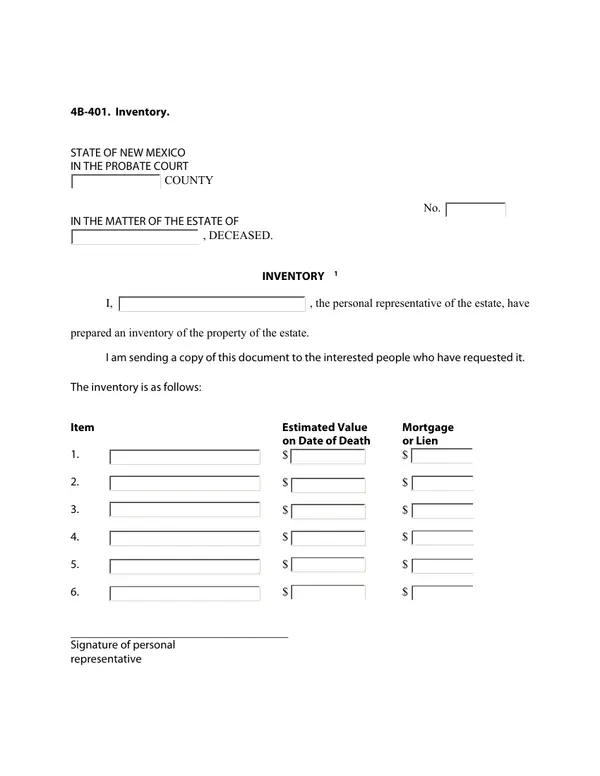
The personal representative of an estate documents and lists all property owned by the decedent at the time of death, including estimated values and any liens or mortgages.
When you'd use it: Filed during probate administration when the personal representative has completed an inventory of the estate's property as required by New Mexico probate law.
Where to get the official form
The official version of Inventory is published as a PDF by the New Mexico courts. We checked this link and it resolved to a form on an official court or government website — always download the current version directly from the source rather than a third-party copy:
Verified official PDF
Source: sandovalcountynm.gov
Link last checked: May 31, 2026
How to file Inventory in New Mexico
- Step 1 — Confirm you have the correct formUse Inventory (4B-401) when filed during probate administration when the personal representative has completed an inventory of the estate's property as required by New Mexico probate law. Double-check it's the right form for your situation — New Mexico probate forms are revised periodically, so verify the name and number against your court's current form list before you start.
- Step 2 — Complete every required fieldFill out Inventory carefully and review it for errors before filing. Probate cases can already take months — a small mistake on the form can set your timeline back further.
- Step 3 — Get it notarized or witnessed if requiredSome probate forms must be signed in front of a notary or witnesses. Check the instructions on the form itself, and arrange notarization before you file if it's required.
- Step 4 — File it with the correct courtSubmit Inventory to the probate court or county clerk handling the estate — usually in the New Mexico county where the deceased lived. Ask the clerk how they prefer to receive filings (in person, by mail, or e-filing).